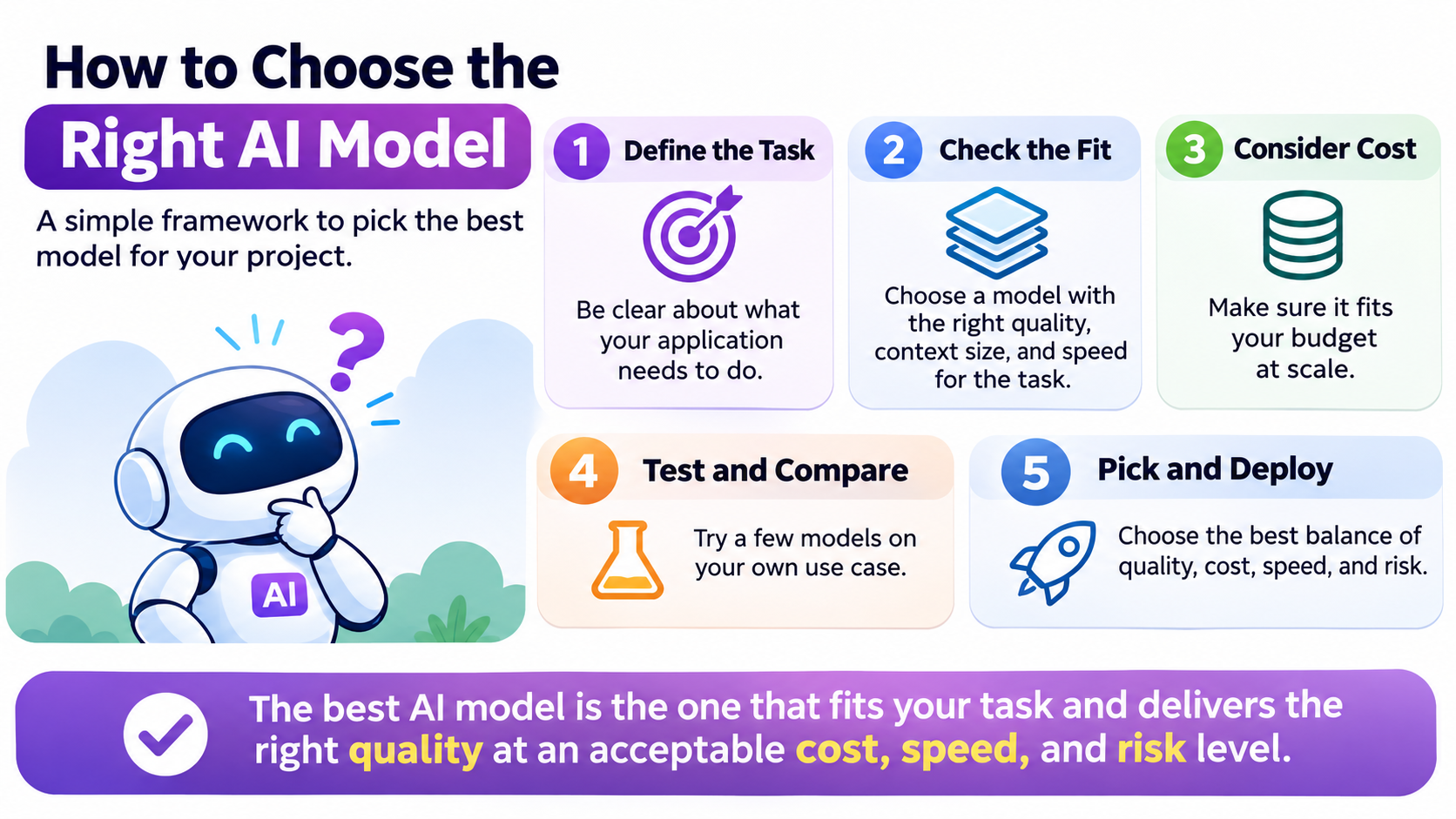
With hundreds of AI models available today, it is easy to assume that newer, bigger, or more popular models are automatically better for your project. However, the real skill in modern AI engineering is knowing precisely which model fits your specific problem.
Good AI engineering isn't about using the biggest model; it's about using the right model for the right problem. Here is a practical framework to help you cut through the hype and select the ideal model for your next application.
1. Start with the Task
Before looking at benchmarks, ask: What exactly does my application need to do?
-
Generate text or summarize documents: Language model
-
Understand images: Vision model
-
Convert speech to text: Speech model
-
Find semantic similarity: Embedding model
-
Generate code: Code-capable language model
Don't select a model before clearly defining the task it needs to solve.
2. Check the Quality You Need
Not every task requires the most capable model on the market. For simple tasks like classification, short summaries, basic data extraction, or simple rewriting, a smaller and faster model is often more than sufficient. Reserve heavy, highly capable models for complex reasoning or multi-step tasks.
3. Consider the Context Window
The context window determines how much information a model can process within a single request. This is critical when working with long documents, multiple files, lengthy conversations, or massive codebases. Keep in mind that while a large context window is useful, larger context doesn't automatically mean better answers.
4. Look at Latency ($\text{latency}$)
Ask how quickly your application needs a response. For real-time chat, interactive applications, or user-facing tools, response latency is extremely important. If you are running background batch processing, you can typically afford to accept slower responses from larger models.
5. Consider Cost ($\text{cost}$)
AI APIs usually charge based on usage, factoring in both input and output tokens. A fractional difference in cost per request can scale into a massive financial impact. Always calculate your expected expense:
$$
\text{Total Cost} = \text{Cost per Request} \times \text{Number of Requests}
$$
6. Check Structured Output Support
If your application needs predictable data, structured outputs are essential. For instance, receiving a JSON response like:
{
  "customer": "ABC Ltd",
  "amount": 12500,
  "currency": "USD"
}
This is significantly easier for backend software to process than parsing an unpredictable natural language paragraph.
7. Think About Tool Use
If your model needs to interact with external systems, check whether it natively supports required capabilities like search, calculations, database queries, APIs, or calendar integrations. Remember: the model is only one component of a broader AI system.
8. Consider Multimodal Requirements
Text alone isn't always enough. Evaluate whether your application needs to seamlessly process combinations of text, images, audio, or video.
9. Think About Privacy & Security
This is especially vital when handling customer information, financial data, internal documents, or confidential business data. Before integrating any model, thoroughly understand how provider data policies handle your inputs.
10. Test Before Deciding
Never choose a model based solely on a leaderboard or a social media recommendation. Create a small evaluation dataset and test models against your actual use cases. Compare:
-
Accuracy and quality
-
Latency and cost
-
Consistency and failure cases
Your workload matters far more than someone else's benchmark.
11. Don't Overengineer
If you simply need to classify whether a customer requested a refund, you likely don't need a complex multi-agent architecture. A simple, lightweight model call will often do the job perfectly.
12. Use Different Models for Different Jobs
A real-world application rarely relies on just one model. A production stack might look like this:
-
Small model $\rightarrow$ Classification
-
Embedding model $\rightarrow$ Semantic search
-
Vision model $\rightarrow$ Image analysis
-
Capable model $\rightarrow$ Complex reasoning
13. Create a Model Selection Checklist
Before final deployment, review your choices against these core questions:
-
What task am I solving?
-
What quality level do I need?
-
How much context is required?
-
What latency is acceptable?
-
What will it cost at scale?
-
Does it support required inputs and outputs/tools?
-
What privacy requirements apply?
-
How does it perform on my own test cases?
The Most Important Rule: The best AI model isn't necessarily the most powerful model. It is the model that provides the required quality at an acceptable cost, speed, reliability, and risk level.
Stop choosing AI models by hype. Understand your task, define your requirements, test multiple options, and decide based on real evidence.